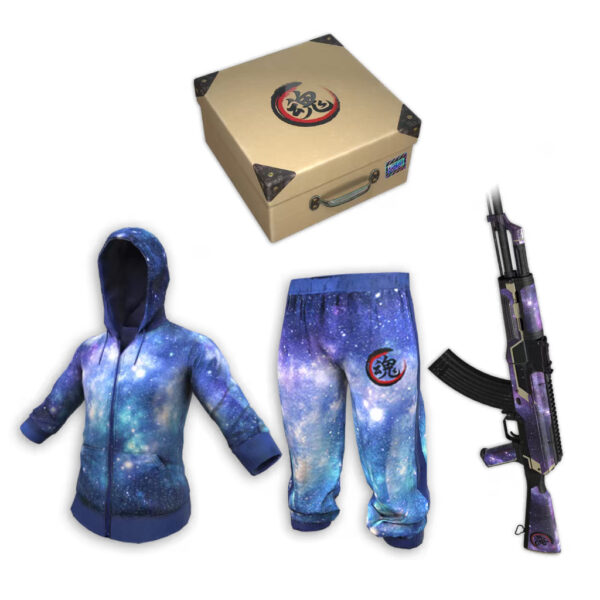

- Code by email, within minutes to a few hours
- Steam PC, works worldwide
- Help on Discord for any question


 and more
How to redeem
Three steps in the PUBG lobby.- 1
Open the store
In the PUBG lobby on Steam, go to Store › Item.
- 2
Add your code
Choose Add Bonus/Gift Code, then paste your code with Ctrl+V to avoid typing mistakes.
- 3
Confirm, and it is yours
The item goes to your account. Cannot see it in your Warehouse? Restart the lobby.

Please redeem within 24 hours of delivery.
Details
- Platform
- PUBG on Steam (PC)
- Region
- Global
- Delivery
- Code by email, within minutes to a few hours
- Find it later
- My Account, Orders
- Redeem in
- Store › Item › Add Bonus/Gift Code
Before you buy
- Codes are for PUBG on Steam (PC). They do not work on PUBG Mobile or consoles.
- Check the version and what is included. Once redeemed, the item stays on your game account.
- Redeem within 24 hours of delivery. Each code works once, on one account.
- For buyers aged 18 and over.
- Code not working? Message us on Discord or through Contact us with your order number.
What players say
Buyers post their reviews on our Discord server.2026 Availability & Steam Market Status
Harlequin Helmet Pack is a limited PUBG: BATTLEGROUNDS (Steam PC) item. Most PUBG partner and event skins are not tradable or marketable on the Steam Community Market and are not sold in the regular in-game G-Coin shop. As of 2026, the direct method to unlock Harlequin Helmet Pack on a Steam PC account is redeeming an unused global CDK bonus code — currently in stock at EzBuySkin for $4.67 USD with email delivery and card/Pix checkout.
Verified buyer ratings & reviews
Bought this skin? Log in with your order email to leave a verified buyer review.
Log in to review